
Get started with Scrive's APIs & MCP
Whether you’re looking for our eSign API, eID Hub or MCP, you can find everything you need on our developer page.
Developer hub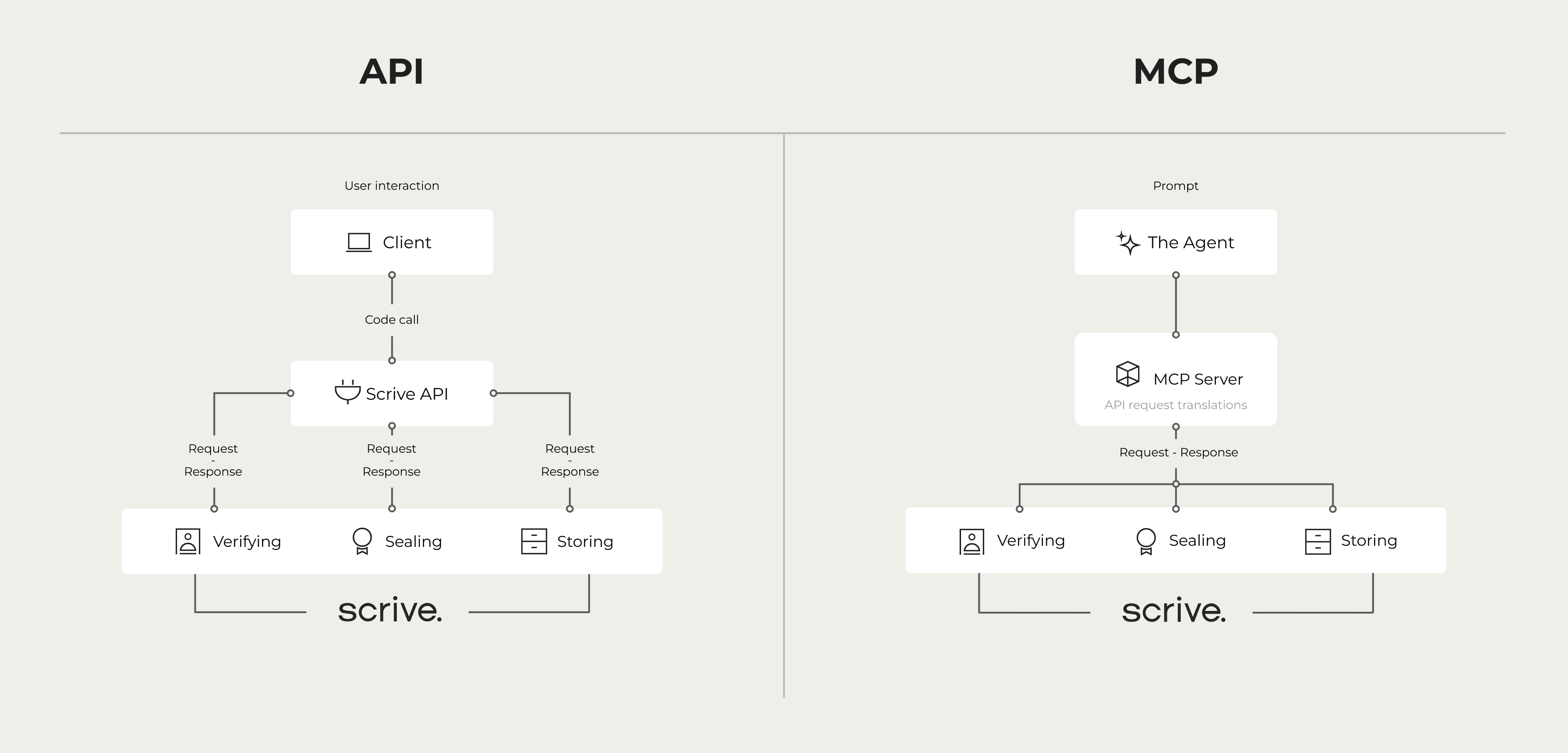
AI assistants can draft a contract, summarise a negotiation or suggest the right clause in seconds but until recently, they couldn’t do much with that work. They couldn’t send the contract, check who had signed it or verify the identity of the person on the other side.
That is changing, and two acronyms sit at the centre of the shift: API and MCP.
They are often mentioned together and sometimes this can become confusing. But while they are both technically APIs, they are used to solve different problems. In this article, we explain what each one is, how they differ and we explain why this matters. This applies to any business using APIs and AI in real, legally binding agreement workflows.

An API (Application Programming Interface) is a set of rules that lets one piece of software talk to another. When your CRM creates a contract in Scrive, or your HR system sends an onboarding pack for signing, an API is doing the work behind the scenes.
APIs are precise, reliable and built for developers. Someone has to read the documentation, write code that calls the right endpoints in the right order, handle authentication and deal with errors. Once that integration is built, it runs the same way every time. That predictability is exactly why APIs have powered business software for decades, and why Scrive’s eSign API is used by organisations to embed signing and identification directly into their own systems.

As mentioned above, technically speaking, MCP (Model Context Protocol) is a type of API. It’s an open standard that lets AI models connect to external tools and data in a consistent way. Instead of generating text only, an AI assistant connected through MCP can take action: search for documents, create records or start a process.
An MCP server is the piece that makes a specific service available to AI. It describes the service’s capabilities as a set of tools the AI can understand, such as “list documents” or “send a reminder”. When a user asks for something in plain language, the AI decides which tools to use, and the MCP server carries out the request.
Crucially, MCP is a shared standard. A service that offers an MCP server can be used by any AI environment that supports the protocol, rather than requiring a separate custom integration for each AI product.
The simplest way to put it: an API connects software to software, while MCP connects AI agents to software.
| API | MCP | |
|---|---|---|
|
Built for
|
Developers and applications |
AI models and agents
|
|
How you interact
|
Code calling specific endpoints
|
Natural language requests |
|
Who decides what happens
|
The developer, in advance
|
The AI agent, based on the user's request and context |
|
Integration effort
|
Custom integration per system
|
One server, usable across MCP-compatible AI tools |
|
Best suited for
|
Fixed, high-volume, predictable processes
| Flexible, conversational and ad hoc tasks |
|
Discoverability
|
Humans read documentation
| AI reads tool descriptions automatically |
A few of these differences are worth expanding on.
Who is the user? An API expects a program on the other end, written by a developer who knows exactly what to call. MCP expects an AI model that is working on behalf of a person, interpreting their intent.
Fixed versus flexible. An API integration follows the path a developer built. If your onboarding process sends three documents in a set order, an API is ideal. MCP shines when the task varies from day to day, such as “find every NDA that hasn’t been signed this month and remind those people”.Build once, use widely. Traditionally, connecting a service to a new tool meant building a new integration. With MCP, a single server can serve several AI environments. The AI learns what the server can do by reading tool descriptions. So you don’t need a separate integration for each assistant.
While MCP is a new type of API, it is not the successor to existing APIs or a way to replace them. In most cases, an MCP server sits on top of existing APIs and translates AI requests into API calls.
Here is what typically happens:
This means the reliability, security and compliance of the underlying API still matter just as much as before. MCP makes those capabilities accessible to AI; it doesn’t change what they are. For businesses, this is reassuring: the proven systems stay in place, and MCP adds a new, more natural way to use them.
Most AI tools can draft text, but they can’t confirm who they are dealing with or guarantee that the outcome will hold up legally. A contract generated by AI is still only a draft until the right people have been identified and have signed it in a legally valid way.
This is the gap between generative AI and trusted business processes. Closing it requires two things that AI alone cannot provide: verified identity and legally binding signatures. That is why the service behind the MCP server matters as much as the protocol itself.
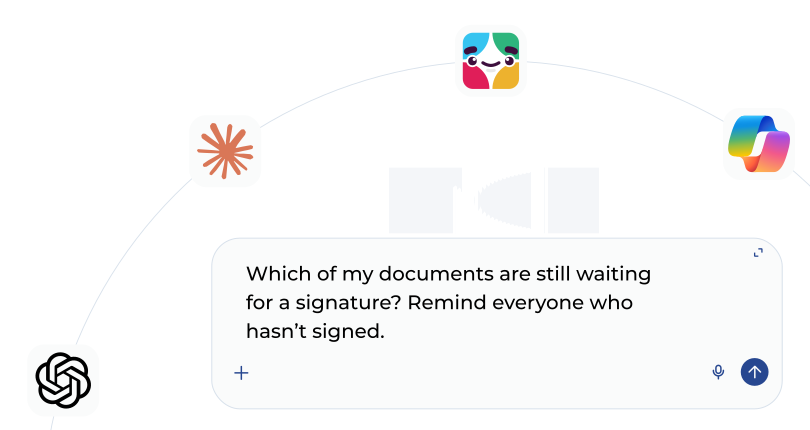
The Scrive MCP server brings Scrive’s trusted identity and eSigning into AI-driven workflows. It acts as a bridge between your AI tool and Scrive’s APIs, so AI agents can prepare documents, verify identities and collect legally binding signatures, all from a natural language request.
Because it builds on Scrive’s core products, agreements handled through the MCP server meet the same strict eIDAS requirements as the rest of the Scrive platform. Signers can be authenticated with trusted eIDs such as Swedish BankID, MitID and Finnish BankID, directly from an AI-driven process.
With the current version, AI agents can:
In practice, that could look like this:
The Scrive MCP server works with AI environments that support MCP, including Claude Desktop, ChatGPT and Copilot. Limits and parameters are determined by you and your setup. There are no additional AI-specific limits set by Scrive; the only limits are those in your existing Scrive subscription, such as document volume or SMS credits.
The answer depends on what you’re building, and many organisations will use both.
Choose the Scrive eSign API when you need a fixed, high-volume process embedded in your own product or system, such as automatically sending a signing request every time a customer completes an application.
Choose the Scrive MCP server when you want people to work with agreements through an AI assistant, handling varied, everyday tasks without writing code for each one.
Because the MCP server is built on Scrive’s APIs, both routes lead to the same trusted outcome: verified signers and legally binding agreements.
Whether you’re looking for our eSign API, eID Hub or MCP, you can find everything you need on our developer page.
Developer hub
A side-by-side comparison of Scrive and DocuSign, using published G2 satisfaction scores. Sources and dates linked.
Read article
See what you've missed from past Scrive webinars, sign up for future ones and let us know what you'd like to learn more about.
Read article
As organisations move away from paper-based processes, most contracts can be created, signed, and stored digitally.
Read article